
 Anmelden
Graphify
Unser Buch Coding mit KI ist gerade erschienen, da taucht schon wieder ein neues Tool auf, das mehr Effizienz verspricht. Graphify erstellt einen sogenannten Knowledge Graph, also eine interne Datenbank über die Verknüpfungen zwischen Komponenten (Text, Code, Bilder, was auch immer) eines Projekts. In der Folge können KI-Tools wie Claude Code auf diese Datenbank zugreifen und sich damit rascher und vor allem Token-sparender im Projekt orientieren. Graphify funktioniert besonders gut für ungeordnete Verzeichnisse, in denen Sie PDFs, Screenshots etc. zu einem Thema ablegen, um diese Informationen später wieder zu nutzen.
Installation
Graphify ist ein Python-Programm (Open Source, MIT-Lizenz), das Sie am besten mit uv tool install auf Ihrem Rechner einrichten. (uv ist ein moderner Python-Modulmanager, über den ich demnächst hier schreiben will.) Beachten Sie, dass der Paketname graphifyy mit Doppel-Y lautet, während das Kommando graphify heißt.
uv tool install graphifyy installiert das Programm. Sofern PATH das Verzeichnis .local/bin enthält, kann graphify anschließend sofort gestartet werden. graphify install richtet Skill-Dateien für die auf Ihrem Rechner gefundenen KI-Tools (in meinem Fall: Claude) ein.
$ uv tool install graphifyy

$ graphify install
  skill installed  ->  /Users/kofler/.claude/skills/graphify/SKILL.md
  CLAUDE.md        ->  created at /Users/kofler/.claude/CLAUDE.md

  Done. Open your AI coding assistant and type:

  /graphify .
Verwendung
Im Projektverzeichnis starten Sie nun das KI-Tool Ihrer Wahl (in meinem Fall: Claude Code). Dort steht Graphify jetzt als Skill zur Verfügung. Einfach
/graphify .
analysiert das Projektverzeichnis und erstellt nach vielen Rückfragen das Verzeichnis graphify_out. Das dauert geraume Zeit und verbrennt etliche Tokens. Das Verzeichnis enthält die folgenden Dateien:
ls -l graphify-out/

drwxr-xr-x  4 kofler  staff     128  7 Mai  09:54 cache/
-rw-r--r--  1 kofler  staff     213  7 Mai  10:10 cost.json
-rw-r--r--  1 kofler  staff    8523  7 Mai  10:10 GRAPH_REPORT.md
-rw-r--r--  1 kofler  staff  139973  7 Mai  10:10 graph.html
-rw-r--r--  1 kofler  staff  137091  7 Mai  10:09 graph.json
-rw-r--r--  1 kofler  staff    7912  7 Mai  10:10 manifest.json
Ich habe meine Tests anhand einer Swift-App mit ca. 2000 Zeilen Code in diversen Dateien durchgeführt. Die Ergebnisse sehen eindrucksvoll aus, der unmittelbare Erkenntnisgewinn war aber — zumindest bei diesem Projekt — überschaubar.
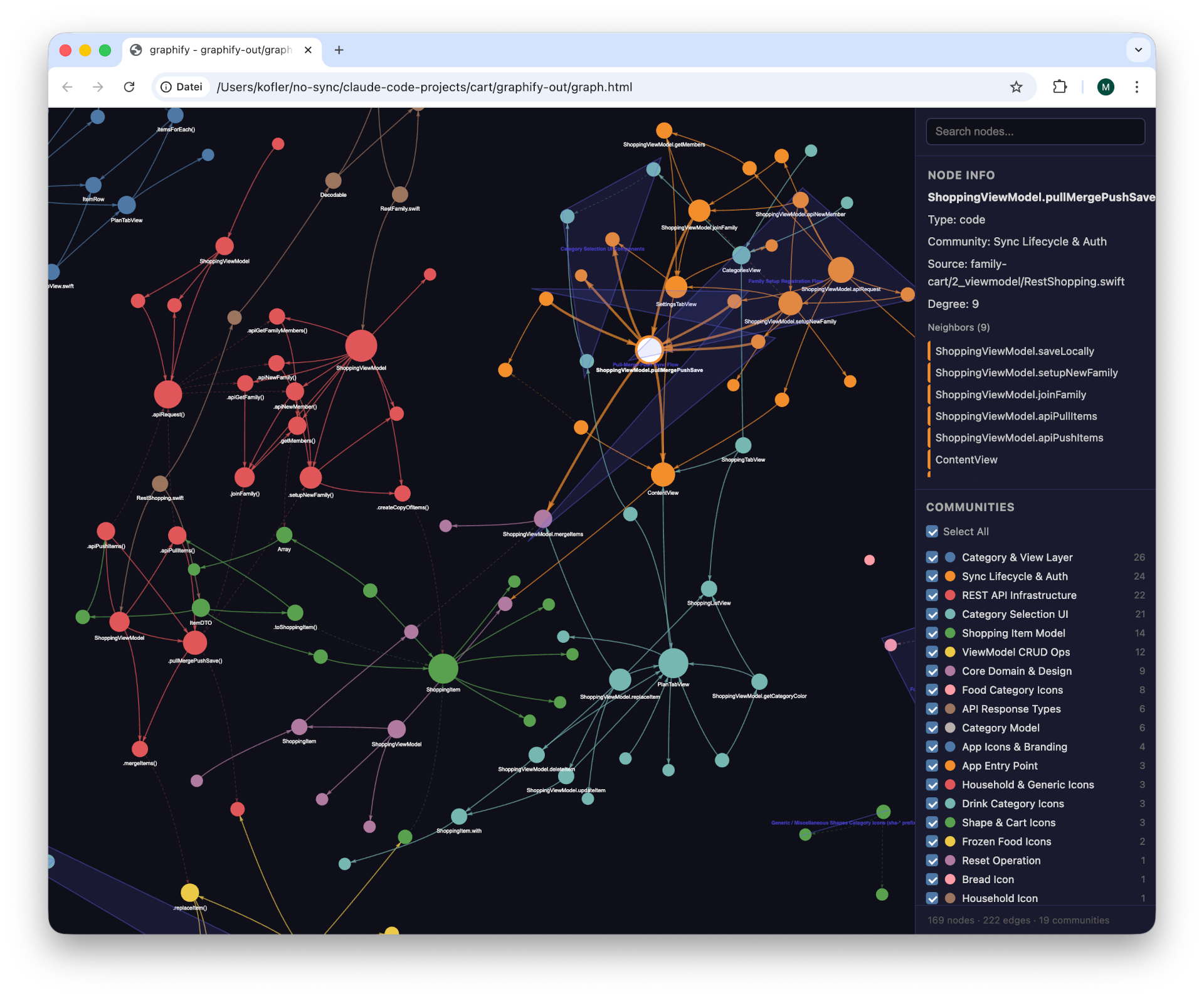
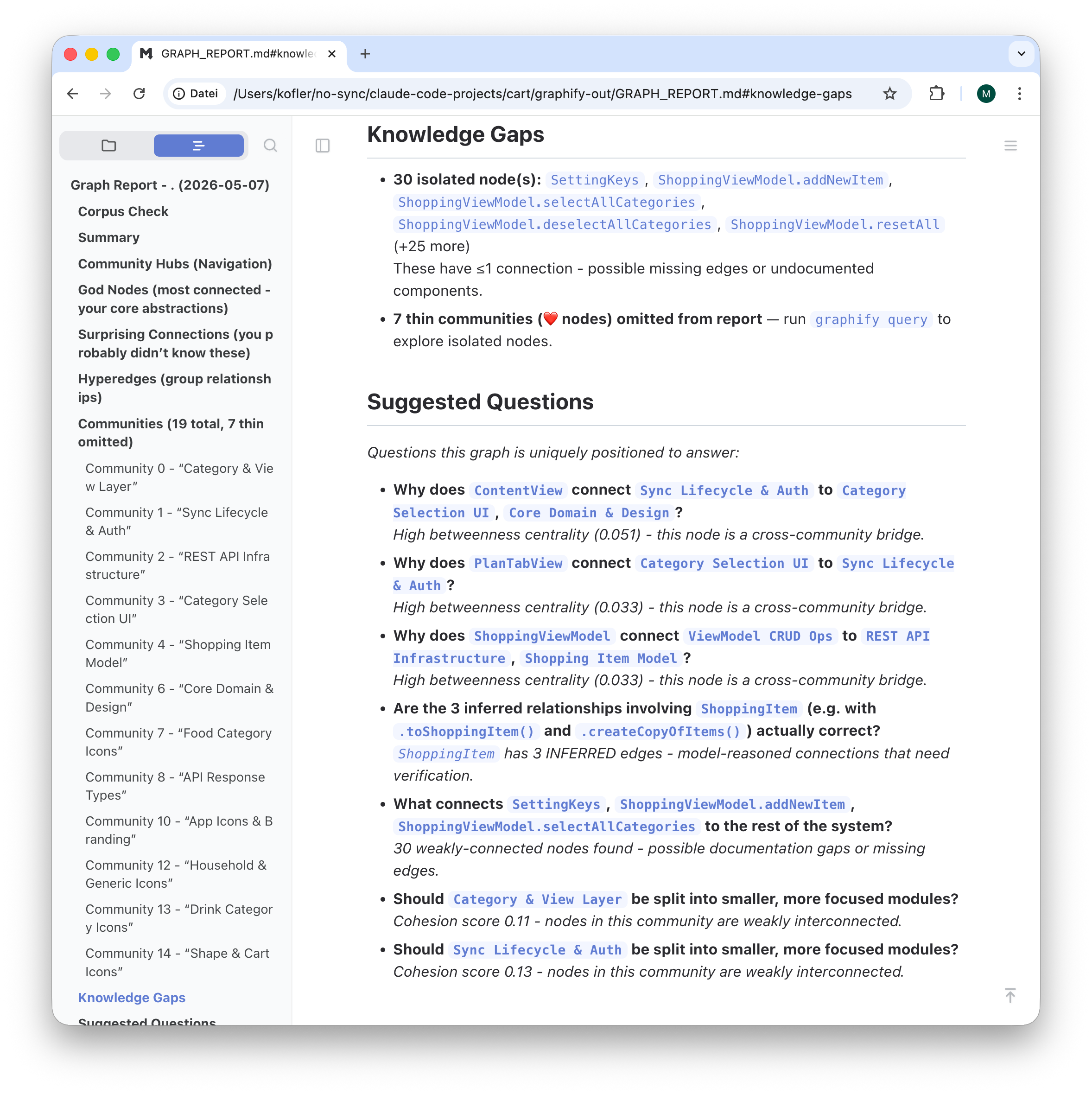
Wenn Sie Änderungen in der Code-Basis oder in Ihren Dateien durchführen, aktualisieren Sie den Knowledge Graph:
/graphify . --update # merge changed content into existing graph
Der Knowledge Graph kann jetzt die Grundlage für Analysen mit /graphify explain oder graphiy query sein (Ausgabe etwas gekürzt):
/graphify explain "the sync process"

  Here's what the graph tells us about the sync process, grounded in the
  extracted edges:

  The sync process is orchestrated by ShoppingViewModel.pullMergePushSave
  (RestShopping.swift:125-175), which implements the Pull-Merge-Push lifecycle
  documented in CLAUDE.md. The graph found 16 nodes directly connected to this
  concept.

  The three phases (all EXTRACTED edges):

  1. Pull — apiPullItems (RestShopping.swift:62-93) fetches items from the
     remote REST API since the last sync timestamp.
  2. Merge — mergeItems (RestShopping.swift:178-193) resolves conflicts using
     Timestamp-Wins: whichever version of an item has the newer updatedAt
     wins. Two design rationale nodes connect here:
    - Timestamp-Wins Conflict Resolution → mergeItems [EXTRACTED]
    - Soft Delete Pattern → ShoppingItem [EXTRACTED] — items are never truly
      removed; isDeleted = true propagates deletions to other devices through
      the sync
  3. Push — apiPushItems (RestShopping.swift:96-120) uploads the merged state
     back to the server.
  4. Persist — saveLocally (ViewModel.swift:172-178) writes the final state to
     the local JSON file. mergeItems then calls replaceItem to update the
     ViewModel's live state.

  Wire format bridge: ItemDTO (RestShopping.swift:9-53) shares data with
   ShoppingItem [EXTRACTED] — it translates between the app's model and the
   API's integer-boolean/ISO 8601 wire format.

  Trigger points: ContentView and StatusView both connect to pullMergePushSave
  in the graph. ContentView runs it via .task, .onChange(scenePhase), and a
  40-second timer. StatusView (in Settings) provides a manual
  trigger. setupNewFamily and joinFamily also call pullMergePushSave as a final
  step after family registration.

  The most interesting angle here: the Soft Delete pattern is the load-bearing
  coupling between ShoppingItem (the model) and the sync logic — if you ever
  changed ShoppingItem to hard-delete, mergeItems would silently stop
  propagating deletions. Want me to trace the path from ShoppingItem.isDeleted
  through to what happens when a remote device pulls?

/graphify query "Where in code is the Category class used?
                 Could we drop the @Observable attribute?"

  Here's what the graph found — and where its limits are:

  Where Category is used (from the graph):

  The BFS found 10 nodes. The confirmed connections [EXTRACTED]:
  - Category → shares_data_with → ShoppingViewModel (ViewModel.swift:1-181) —
    the ViewModel holds the categories: [Category] array
  - Category.predefinedCategories (Category.swift:24-37) ↔ ShoppingViewModel —
    the ViewModel calls this at init to populate its categories
  - .predefinedCategories() → calls → Color — each category has a color
    assigned

  What the graph is missing: There are no direct edges from Category to the
  view layer (CategoriesView, CategoryButton, EditItemView,
  CategoryRadioButton). Those views access categories through vm.categories and
  mutate category.isSelected/category.isExpanded directly — but the graph
  didn't capture these view→Category property access edges since they go
  through the ViewModel and aren't explicit call-site imports.

  On dropping @Observable:

  The graph can't answer this definitively — it would require the actual
  property mutation sites. But from the CLAUDE.md rationale node captured in
  the graph: "Mutable reference-type state (isSelected, isExpanded) is mutated
  directly from views." That design decision is precisely why @Observable is
  needed. Without it, those direct mutations on the reference type wouldn't
  trigger SwiftUI view updates — CategoriesView and EditItemView would stop
  reacting to category selection changes.

  Verdict from the graph: @Observable cannot be safely dropped without a larger
  refactor (e.g., moving isSelected/isExpanded into the ViewModel as @State or
  @Published backing). The graph confirms the coupling exists; reading
  Category.swift:4-112 directly would show exactly which properties are var vs
  let.
Die Website preist den größten Vorteil von Graphify an, dass derartige Abfragen auf der Basis des lokalen Knowledge Graphs nun wesentlich weniger Token verbrauchen als wenn das KI-Tool mit find und grep die Codebasis durchsucht und (immer wieder neu) analysiert. Bei meinen Tests ließ sich das Ausmaß der Ersparnis schwer messen. Die Grundidee ist aber gut, die Implementierung sieht sehr vielversprechend aus.

